Infrastructure case study · In active development
FortuneCloud: building my own private cloud
By Fortune Madonzela. A hands-on project connecting physical server hardware, virtualization, private networking and application hosting with a custom management interface.
Why I built FortuneCloud
I wanted to go beyond deploying one application on a server. FortuneCloud is my project to build a reusable hosting environment and a control platform for managing it. The goal is to bring applications, databases and infrastructure into one place, with deployment automation as the next engineering stage.
From a Dell server to virtual machines
The physical foundation is a Dell PowerEdge R310. I installed Proxmox VE to turn it into a virtualization host, then created an Ubuntu Server virtual machine for the application environment. This separates application hosting from the underlying physical machine and creates room for additional isolated workloads.
- Physical hardware: Dell PowerEdge R310.
- Virtualization: Proxmox VE hosting Linux virtual machines.
- Application environment: Ubuntu Server, Python virtual environments, Django, PostgreSQL-related packages and Nginx.
- Private administration: Tailscale networking and SSH between my laptop, the Proxmox host and the Ubuntu server.
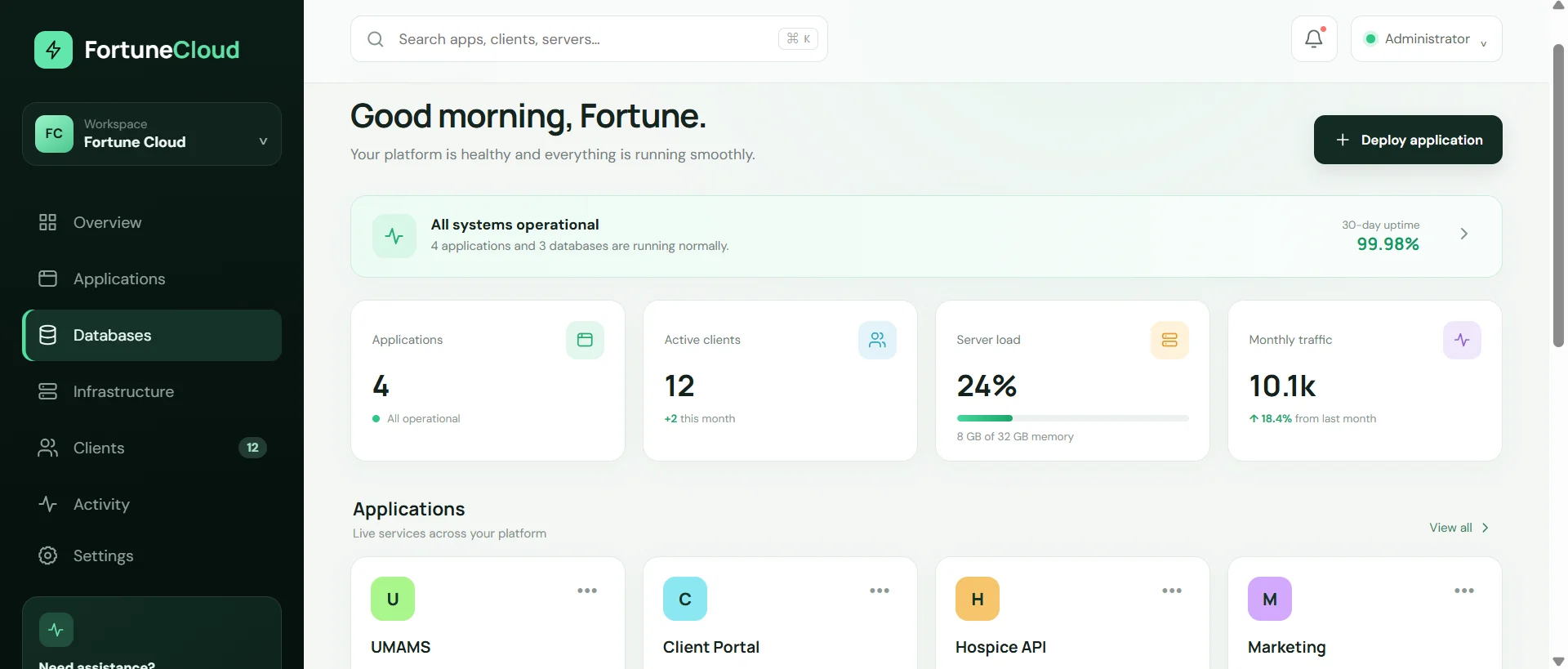
- Management interface: FortuneCloud views for applications, databases, infrastructure, clients, activity and settings.
Private access with Tailscale
I configured Tailscale to connect my laptop, virtualization host and Ubuntu VM over a private network. This gives me a route for remote administration without requiring the Proxmox management interface or SSH service to be exposed directly to the public internet.
Getting a real Django environment working
The hosting work included Linux setup, Python virtual environments, Django dependencies, database packages and SSH. I also resolved issues around package compatibility, missing pg_config, barcode dependencies, Pango and WeasyPrint libraries, migrations and network connectivity.
UMAMS was one application used to validate the hosting foundation. It is a workload on the infrastructure; FortuneCloud is the wider platform being developed to support independent applications.
What the dashboard covers
The interface brings together application, database and infrastructure views with clients, activity, settings, deployment actions and platform health. It also represents CPU, memory and storage information. Building these views establishes the control interface; connecting actions to infrastructure automation is a separate stage of the project.
The next engineering milestone
The next step is connecting the interface to real provisioning and deployment operations. Planned work includes Proxmox API integration, repository-based deployment, environment configuration, database provisioning, logs, backups and domain management. These are roadmap capabilities, rather than completed features.
The long-term direction is a self-hosted Platform-as-a-Service that can support different applications and clients on the same infrastructure foundation.